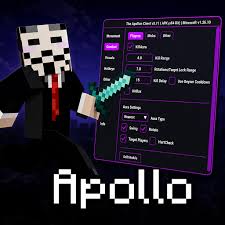
Apollon Client APK is an advanced Minecraft Pocket Edition utility client designed to improve gameplay with powerful tools and customization features. It includes popular options like Killaura support, Ladder Fly, Show Position, Death Position, FPS Booster, and X-Ray visibility to make exploration, combat, and navigation easier.
The client also supports both 32-bit and 64-bit Android devices, allowing more users to enjoy smoother performance and additional gameplay functions not available in the standard version of Minecraft PE. Its lightweight design, custom textures, and easy-to-use control menu create a more flexible and enhanced gaming experience.
What is Apollon Client APK?
Apollon Client APK is a modified Minecraft Bedrock Edition client created for players who want extra control and advanced gameplay tools on mobile devices. Instead of completely changing Minecraft, it adds a special in-game menu that lets users enable or disable different features while playing.
The client offers movement tools like Fly and Ladder Fly, visibility features such as Fullbright and ESP, and performance enhancements including FPS Boost and optimized controls. Players can also use position tracking tools to remember important locations and improve navigation across large survival worlds.
For combat-focused gameplay, it provides faster reaction tools, targeting support, and enemy visibility features that help make battles feel smoother and more controlled. In addition, the client supports local multiplayer and works on a wide range of Android devices.
Its flexible settings, improved performance, and advanced customization options make the APK a popular choice among Minecraft PE players looking for a more enhanced mobile gaming experience.
Features of Apollon Client APK Latest Version
Combat Improvement Features
Apollon Client APK New Version includes several combat-focused tools that help players react faster and improve battle performance during survival or PvP gameplay.
- Auto Attack Support: The client can automatically target nearby enemies or mobs, making combat quicker and more efficient during intense fights.
- Improved Hit Accuracy: Some versions include expanded hit detection that helps players land attacks more easily during close-range combat situations.
- Faster Clicking Actions: Auto-click support increases attack speed and improves response time while fighting enemies.
- Knockback Reduction: This feature reduces the impact of enemy attacks, helping players maintain better movement control during battles.
Movement and Mobility Features
Movement enhancements allow players to travel across the Minecraft world faster and explore difficult areas more easily.
- Speed Boost Options: Players can increase movement speed or enable continuous jumping for faster navigation across maps.
- Flying Support: The client allows free movement in the air, helping players explore large worlds without normal movement limitations.
- Higher Jump Abilities: Jump enhancement tools make it easier to reach elevated areas and cross obstacles quickly.
Smooth Underwater and Climbing Movement
Improved ladder and underwater controls provide better movement while exploring caves, oceans, or vertical structures.
- Visual Enhancement Tools: Apollon Client APK Mod also includes visual features that improve visibility and help players locate important resources faster.
- X-Ray Viewing: This feature helps players identify valuable ores and hidden blocks beneath the surface more easily.
- ESP Features: ESP tools highlight important elements such as players, mobs, chests, and objects, even through walls or obstacles.
- Full Brightness Mode: The Full Brightness feature removes darkness from caves and nighttime environments for clearer visibility.
- Position Tracking: Players can view coordinates and save important locations for easier navigation during exploration.
Automation Features
Automation tools reduce repetitive tasks and make gameplay more convenient during long sessions.
- Auto Fishing: The client can automate fishing actions, helping players collect resources more efficiently.
- Automatic Sprint: Always Sprint keeps the player running continuously without manually activating sprint controls.
- Scaffold Support: This feature automatically places blocks beneath the player while moving, making bridge building faster and safer.
- Faster Item Management: Rapid item dropping speeds up inventory management and improves overall convenience.
Environment and World Controls
Apollon Client Mod APK gives players additional control over the game environment and world settings.
- Instant Block Breaking: Blocks can be destroyed instantly, reducing waiting time while mining or building.
- Weather and Time Controls: Players can adjust in-game weather and change daytime settings for better visibility and smoother gameplay.
- No Clip and Ghost Movement: Some versions allow players to move through walls and obstacles for easier exploration.
- Performance Optimization: The client is designed to improve Minecraft performance on Android devices while reducing lag and stability issues.
- FPS Improvement: Built-in optimization tools help increase frame rates for smoother gameplay performance.
Better Memory Management
The client reduces unnecessary resource usage, improving stability on low-end devices.
- Lightweight Design: Users can disable unused features to maintain faster performance and reduce battery consumption.
- Customization Options: It offers flexible customization settings that allow players to personalize their gameplay experience.
- Adjustable HUD Layout: Players can customize the size and position of on-screen elements for better visibility.
- Movable Menu System: The mod menu can be repositioned anywhere on the screen for easier access.
- Toggle Features Individually: Every tool and enhancement can be enabled or disabled separately based on user preference.
- Save Custom Configurations: Players can save their favourite settings and quickly load them whenever needed.
Multiplayer and Device Compatibility
Apollon Client APK Old Version supports both solo gameplay and multiplayer sessions with friends.
- Wide Android Compatibility: The client supports both 32-bit and 64-bit Android devices, making it accessible for many users.
- Multiplayer Functionality: Players can use the client during local multiplayer sessions and supported online gameplay modes.
- Stable Performance Across Devices: Its optimized structure helps the client run smoothly on both high-end and mid-range smartphones.
Screenshots:


How to Download and Install Apollon Client APK for Android?
Installing the APK on Android is simple, but since the app is not available on the Google Play Store, users need to install it manually through an APK file.
Step 1: Enable Unknown Sources
- Open your phone’s Settings.
- Go to Security or Privacy settings.
- Find the Install Unknown Apps option.
- Allow permission for your browser or file manager
Step 2: Download the APK File
- Visit a trusted APK download website.
- Search for the APK.
- Tap the Download button and wait for the file to finish downloading.
Step 3: Install the APK
- Open the downloaded APK file from your Downloads folder.
- Tap the Install button.
- Wait a few seconds for the installation process to complete.
Step 4: Launch the App
- Open the APK from your app drawer.
- Grant the required permissions.
- Adjust settings and start using the client in Minecraft PE.
FAQs:
What is the Apollon Client APK used for?
It is used to improve Minecraft PE gameplay with features like Fly mode, FPS Boost, Auto Clicker, ESP tools, Fullbright visibility, and movement enhancements.
Does it support low-end devices?
Yes, the client includes optimization tools that help reduce lag and improve performance on many low-end Android devices.
Can I use Apollon Client APK in survival mode?
Yes, players can use movement, visibility, and position tracking tools to make survival gameplay smoother and more convenient.
Is Apollon Client APK compatible with all Android devices?
The client supports both 32-bit and 64-bit Android devices, making it compatible with a wide range of smartphones and tablets.
Does it support multiplayer gameplay?
Yes, the app supports local multiplayer and works in several multiplayer environments depending on compatibility.
Is Apollon Client APK safe to install?
The app is generally safe when downloaded from trusted APK websites. Users should avoid unknown or suspicious sources.
Pros and Cons of Apollon Client APK Download 2026
Pros
- Advanced Gameplay Features: It includes powerful tools like Fly mode, ESP, X-Ray visibility, Auto Clicker, and position tracking, giving players more control during gameplay.
- Smooth Performance Optimization: The built-in FPS Booster and memory optimization tools help improve game stability and reduce lag on many Android devices.
- Beginner-Friendly Interface: The app offers a clean and simple menu system that allows users to enable or disable features easily without complicated settings.
- Lightweight and Fast: It is optimized for mobile devices and works smoothly even on several mid-range and low-end smartphones.
- Customization Options: Players can customize HUD layouts, save settings, adjust textures, and manage features according to their gameplay style.
- Wide Device Compatibility: The client supports both 32-bit and 64-bit Android devices, making it accessible for a large number of Minecraft PE players.
Cons
- Not Officially Supported: It is a third-party modified client and is not officially supported by Minecraft developers.
- Possible Compatibility Issues: Some features may stop working properly after Minecraft updates or behave differently on certain devices.
- Risk on Public Servers: Using advanced gameplay tools on some multiplayer servers may violate server rules and could lead to restrictions.
- Manual Installation Required: Since the app is not available on the Play Store, users need to install it manually through APK files.
- Performance May Vary: Although the client is optimized, some advanced features may still affect battery life or performance on older devices.
Practical Tips Before Using Apollon Client APK:
- Always back up your Minecraft worlds before installing third-party clients.
- Make sure the client version matches your Minecraft Bedrock version.
- Download APK files only from trusted and verified websites.
- Read multiplayer server rules before using custom clients online.
- Keep your device protected by scanning downloaded files regularly.
Conclusion
Apollon Client APK Download Latest Version is a feature-rich Minecraft PE utility client designed for players who want better control, smoother gameplay, and advanced customization on Android devices. Its movement tools, visibility features, performance optimizations, and easy-to-use interface make it a popular option among Minecraft mobile players.
With support for multiple Android devices and regular improvements, the APK delivers a more flexible and enhanced Minecraft experience for users who enjoy customized gameplay.