
NSP OTR APK is a helpful Android application that makes the One Time Registration (OTR) process on the National Scholarship Portal faster and easier for students. The app uses Aadhaar Face RD Services for secure identity verification through UIDAI, allowing users to complete authentication directly from their mobile devices.
With this modern approach, students no longer need external biometric hardware during registration. As a result, the process becomes more convenient, accessible, and user-friendly. The app focuses on simplifying scholarship registration while maintaining a high level of security and accuracy.
What is NSP OTR APK?
NSP OTR APK is a free mobile application developed to assist students in completing their One Time Registration on the National Scholarship Portal. Created for users in India, the app enables secure registration through Aadhaar Face RD Services, which verifies identity using facial authentication provided by UIDAI.
Unlike traditional registration methods, the app reduces paperwork and minimizes the need for physical visits. Students can now begin the registration process from home or any location with internet access. Although the conventional method is still available, the app offers a much quicker and more convenient alternative.
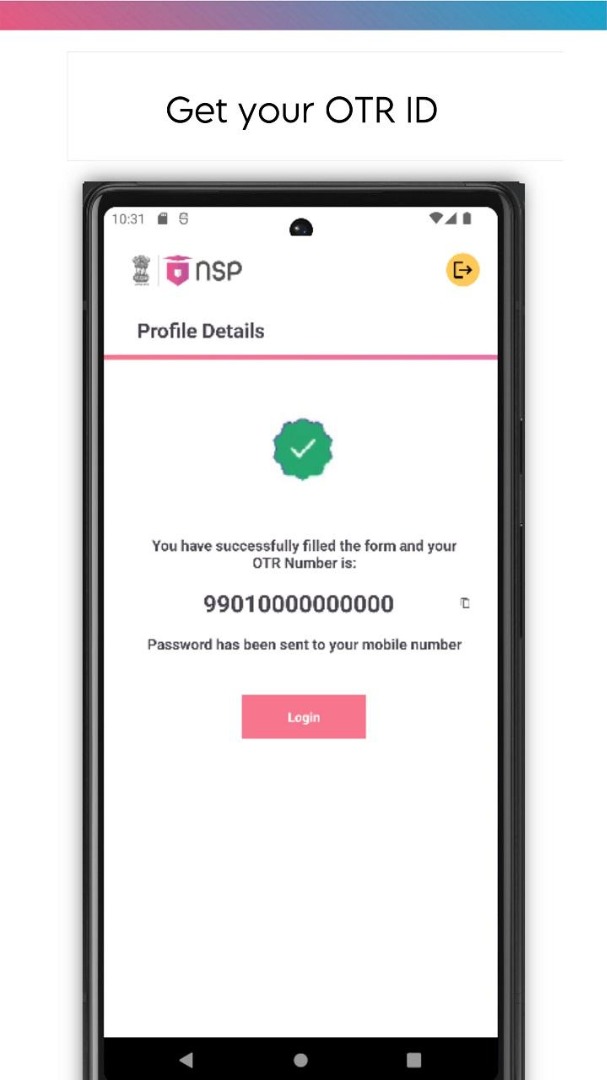
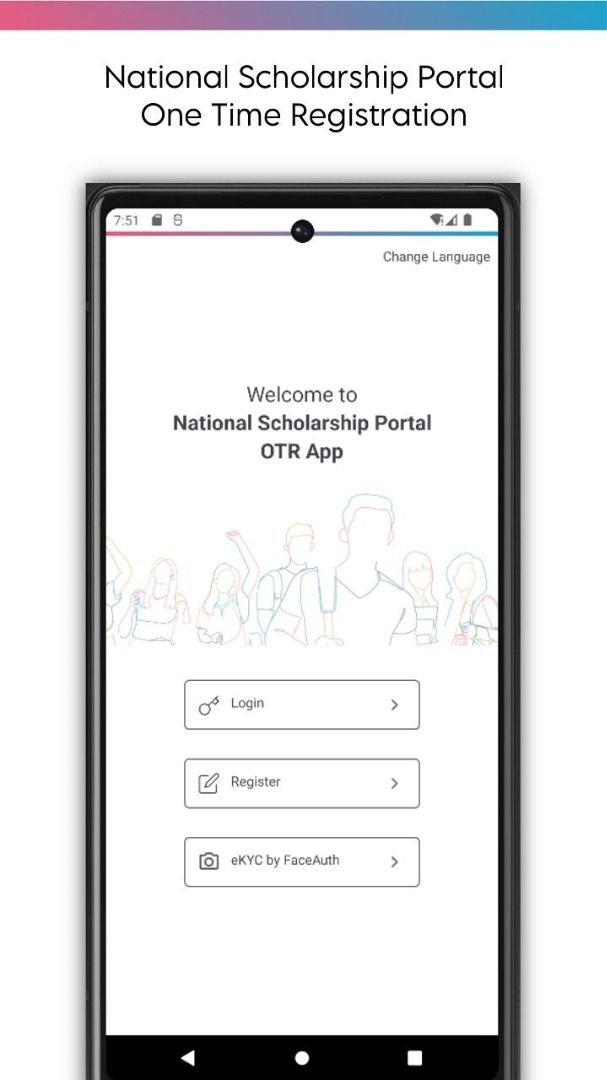
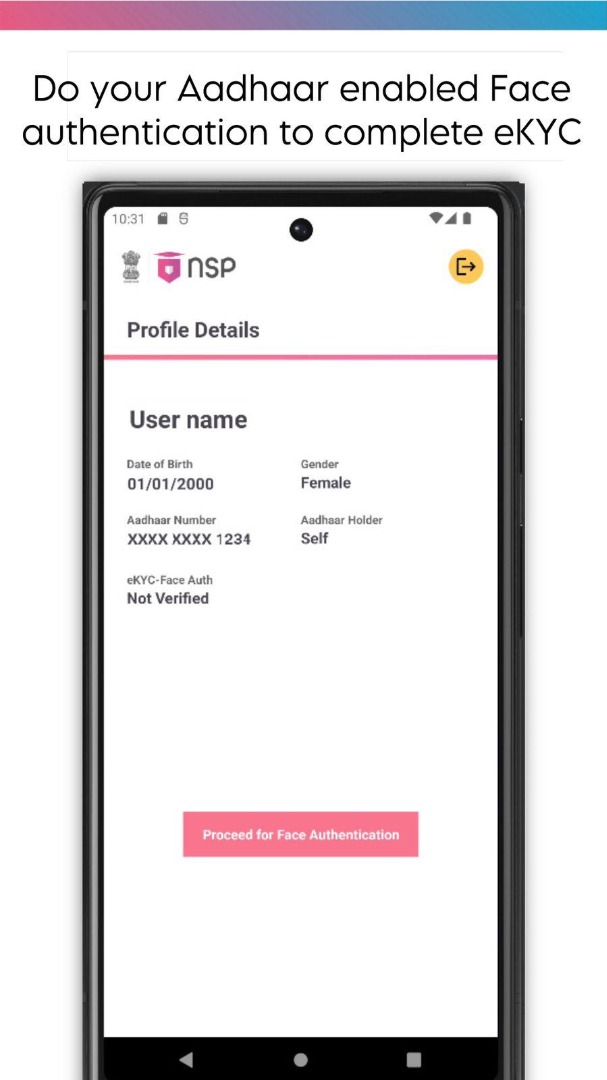
To get started, users must register or log in using their Aadhaar-linked mobile number. After that, the OTR registration process begins with guided instructions displayed on the screen. Once completed, the system generates a reference number that is used during face authentication. Users then verify their identity through Aadhaar Face RD Services using the authentication code sent to their device. After successful verification, they can proceed with scholarship-related applications.
However, the application requires the separate Aadhaar Face RD Service app to complete authentication. This additional requirement may confuse some users, especially those unfamiliar with the process. In addition, older Android devices may face compatibility limitations.
Despite these minor challenges, NSP OTR App remains an efficient solution for scholarship registration. It saves valuable time, reduces dependency on physical documentation, and eliminates the need to stand in long queues. For students seeking a secure and convenient way to complete OTR registration, the app provides a practical and reliable digital option.
Key Features of NSP OTR APK Latest Version
Secure Aadhaar Face Authentication
NSP OTR APK New Version uses Aadhaar Face RD Services to verify user identities directly through UIDAI. This advanced authentication method improves security while ensuring accurate identity verification during the registration process.
Simple and User-Friendly Interface
The app features a clean and intuitive layout that guides users through each step of registration. Even students with limited technical experience can navigate the process easily and complete their registration without confusion.
No Additional Biometric Hardware
Unlike traditional verification methods, it does not require fingerprint scanners or other biometric devices. Users can complete authentication using only their smartphones, making the process faster and more convenient.
Quick and Easy Setup
Getting started is straightforward. Users only need to install the Aadhaar Face RD application from the Google Play Store and connect it with the NSP OTR App to begin the registration process.
How NSP OTR APK Works:
1. Install Aadhaar Face RD: Download and install the Aadhaar Face RD application from the Google Play Store on your Android device.
2. Open the APK: Launch the App and begin the One-Time Registration process on the National Scholarship Portal.
3. Verify Your Identity: Use Aadhaar Face RD Services to complete facial authentication. The system securely verifies your identity through UIDAI.
4. Complete the Registration: Follow the instructions displayed on the screen and finish the registration process. Once verification is successful, you can proceed with scholarship-related applications.
Screenshots:
How to Download & Install NSP OTR APK for Android?
Before installing any APK file, users should understand the installation process.
Follow these general steps.
Step 1 – Download the APK File
- First, download the APK file to your Android device.
Step 2 – Enable Unknown Sources
Open your device settings.
Then go to:
- Settings → Security → Install Unknown Apps
- Enable permission for the browser or file manager you used.
Step 3 – Locate the File
- Open your file manager and find the downloaded APK file.
Step 4 – Start Installation
- Tap the file and follow the installation prompts.
Step 5 – Launch the App
- After installation finishes, open the app and begin registration.
Remember that installing third-party APK files involves user responsibility. Review the requested permissions carefully before proceeding.
Pros & Cons of NSP OTR APK Download 2026
Pros
- Simple mobile interface
- Easy registration navigation
- Useful for smartphone users
- Clear structure for student data entry
- Lightweight application size
Cons
- Some features depend on portal availability
- Device compatibility may vary
- Requires an internet connection for most functions
- Manual APK installation may not suit all users
FAQs:
1. What is the purpose of NSP OTR APK?
The One Time Registration system allows students to create a single profile that can be used for multiple scholarship applications.
2. Is NSP OTR APK required for scholarship applications?
No. Students can also complete the process through the official web portal. The app is simply another way to access the service.
3. Can I update my student details through the app?
Yes. The app allows students to update certain profile details related to their registration.
4. Does the app work on all Android phones?
Compatibility depends on the device model and Android version.
5. How can students learn how to register on the NSP OTR app?
The process usually involves creating an account, entering personal details, verifying identity, and submitting the registration form.
6. Can students check scholarship status through NSP OTR APK?
In many cases, the app provides access to dashboard information related to registration and application progress.
Conclusion
NSP OTR APK Download Latest Version provides a secure, efficient, and hassle-free way for students to complete One Time Registration on the National Scholarship Portal. With Aadhaar-based face authentication, a simple interface, and smartphone-only verification, the app streamlines the entire process and makes scholarship registration more accessible for everyone.